File-Directory-Browser
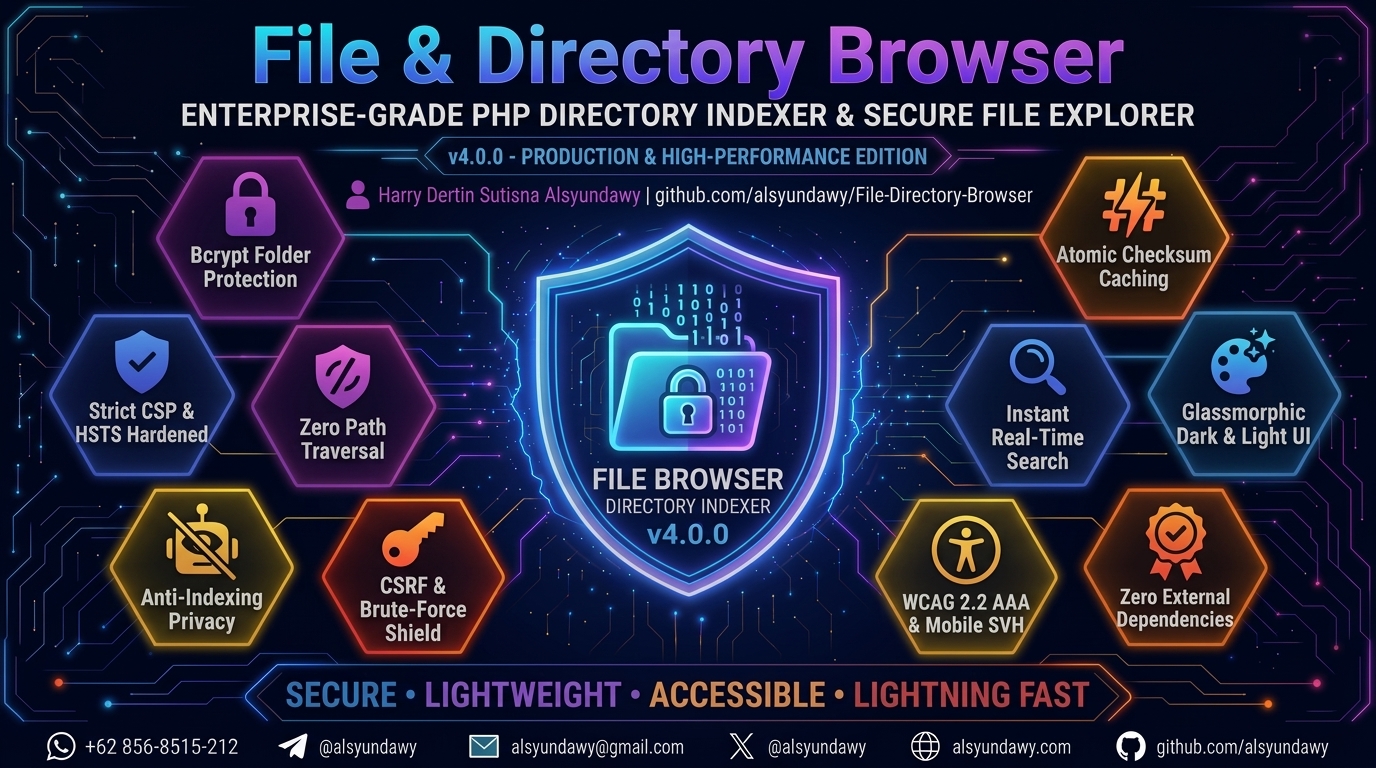
📁 File & Directory Browser
Enterprise-Grade Single-File PHP Directory Indexer & Secure File Explorer



-brightgreen?style=for-the-badge&logo=phpstan&logoColor=white)



A secure, lightweight, and modern single-file PHP directory indexer with glassmorphic UI, real-time search, atomic hash caching, bcrypt folder protection, strict Content Security Policy, and zero external dependencies.


Designed and maintained by
HARRY DERTIN SUTISNA ALSYUNDAWY (@alsyundawy)—
Modern drop-in replacement for Apachemod_autoindexand Nginxautoindexwith zero database or package dependencies.📦
GitHub Releases (v4.1.0)| ⚡Quick Start| 🔒Security Architecture| 📜Full Changelog| 💖Support via PayPal| 🇮🇩QRIS Donation
🧭 Navigation
- About The Project
- User Interface
- Key Features
- System Requirements
- Quick Start
- Production Installation Guide (Ubuntu / Debian)
- Configuration Reference
- Keyboard Shortcuts
- Security Architecture
- Quality Assurance & Static Analysis
- Changelog
- Documentation Notes
- Project Directory Structure
- Contributing
- Maintainer & Contact
- Support & Donation
- License
About The Project
File & Directory Browser is a security-hardened, high-performance, single-file PHP directory indexer and file explorer. Designed as a modern, elegant replacement for standard web server auto-indexing modules (such as Apache mod_autoindex or Nginx autoindex), it delivers a responsive web experience without requiring database servers, heavy backend frameworks, or NPM/Composer package dependencies.
Everything runs self-contained from a single index.php file, featuring instant client-side search filtering, deterministic multi-attribute sorting, on-demand checksum generation (CRC32, MD5, SHA-1) backed by an atomic local caching system, bcrypt folder protection, enterprise-grade defense-in-depth security headers (CSP nonce, HSTS, anti-indexing), and a Glassmorphic UI fully compliant with WCAG 2.2 AAA accessibility standards.
User Interface
Modern Glassmorphic Dark UI
Classic Ambient Dark UI
Key Features
- 🔒 Enterprise-Grade Security & Defense-in-Depth:
- HTTP Strict Transport Security (HSTS): Emits
Strict-Transport-Security: max-age=31536000; includeSubDomains; preloadon HTTPS connections to mandate end-to-end encrypted transport. - Dynamic Content Security Policy (CSP): Every request generates a cryptographically secure nonce (
bin2hex(random_bytes(16))) enforcing strictscript-srcandstyle-srcpolicies without'unsafe-inline'. - Path Traversal & Directory Escape Defense: Strict path segment sanitization and canonical filesystem path verification (
realpath) preventing traversal attacks. - Symlink Escape Containment: External symlinks outside the base directory are strictly blocked by default; file entries are validated against containment boundaries before enumeration.
- Comprehensive Security Headers: Includes
X-Content-Type-Options: nosniff,X-Frame-Options: DENY,Referrer-Policy: strict-origin-when-cross-origin,Permissions-Policy, andX-XSS-Protection: 0. - Search Engine Anti-Indexing Privacy: Emits
X-Robots-Tag: noindex, nofollow, noarchiveheaders and<meta name="robots" content="noindex,nofollow">tags across all pages to block crawler indexing. - Hardened Session Security: Session cookies configured with
HttpOnly,SameSite=Strict, andSecureflags, complemented by session fixation defenses (session_regenerate_id(true)). - Defense-in-Depth Cache Directory Protection: Automatic
.cache/folder hardening generating both.htaccess(Apache) and an emptyindex.html(Nginx, Caddy, Lighttpd) to deny unauthorized cache browsing. - Bcrypt Password-Protected Folders: Restrict access to designated folders using secure bcrypt hashes (
password_hash/password_verify) with zero plaintext storage. - CSRF Token Protection & Brute-Force Rate Limiting: Password forms implement cryptographically secure
bin2hex(random_bytes(32))CSRF tokens with post-login regeneration, plus configurable brute-force lockout rules ($loginMaxAttemptsand$loginLockSeconds) with live countdown timers. - Sensitive File Exclusion: Critical system files (
.env,.php,.git,.htaccess,.sql, etc.) are excluded from directory listings and checksum checks by default.
- HTTP Strict Transport Security (HSTS): Emits
- ⚡ Atomic Hash Caching & Deterministic Sorting:
- On-Demand File Checksums: Computes CRC32, MD5, and SHA-1 checksums on demand with interactive one-click clipboard copying.
- Atomic High-Performance Cache: Checksum results are stored locally, keyed by file size, modification time (
mtime), and schema version to eliminate redundant I/O operations. Cache writes use atomic temporary file creation and POSIXrename(2)syscalls. - Deterministic Natural Sorting: Implements natural sort tie-breaking (
strnatcasecmp) in directory sorting to guarantee consistent row order when timestamps or file sizes are identical. - Semantic Sort Controls: Column headers utilize accessible
<button type="button" class="sort-btn">controls with dynamicaria-sortindicators and nonced JavaScript navigation.
- 🔍 Real-Time Search & Keyboard Navigation:
- Instant Client-Side Filtering: Zero-reload browser filtering by filename using client-side JavaScript that preserves table layout integrity.
- Keyboard Quick Navigation: Press
/orCtrl+K(Cmd+Kon macOS) to instantly focus the search bar; pressEscapeto clear search filters and dismiss. - Interactive Breadcrumb Navigation: Path breadcrumbs with dynamic folder icons (
fa-folder-open), clean URL structure (/?berkas=folder/subfolder), andaria-current="page"semantics. - Floating Home FAB & Back-to-Top: Smooth floating action buttons for instant return to root and top-scrolling.
- 🎨 Modern Glassmorphic UI & Full Accessibility (WCAG 2.2 AAA):
- Glassmorphic Aesthetic: Ambient backdrop filters, dark/light theme switching, and dynamically color-coded file icons based on extension types.
- Mobile Viewport & Safe-Area Polish: Engineered with
viewport-fit=cover,min-height: 100svh(with100vhfallback) to eliminate mobile URL bar jumping, andenv(safe-area-inset-bottom)padding for bezel-less screens (iPhone, iPad, Android). - WCAG 2.2 AAA Contrast: High-contrast text styling achieving > 7.5:1 contrast ratios across dark and light palettes.
- Accessible Table & Semantic Landmarks: Wrapped in
<section class="table-wrap" aria-label="File listing">landmark, nativescope="col"on headers, high-visibility:focus-visiblekeyboard rings, and semantic<output class="empty-state">live regions for screen readers. - Reduced Motion Support: Fully respects
@media (prefers-reduced-motion: reduce)system accessibility preferences.
- 🛠️ Code Quality & Static Analysis Compliance:
- PHPStan Level Max (Level 9): 0 errors and 0 warnings with strict typing and generic PHPDoc annotations.
- Psalm Level 3: 0 errors and 0 warnings.
- 100% PSR-12 Standard: 0 errors on PHP CodeSniffer (
phpcs --standard=PSR12). - Clean Architecture: Minimized cognitive complexity, isolated single-return functions, and zero nested ternary operators.
System Requirements
| Requirement | Minimum Version | Recommended | Notes |
|---|---|---|---|
| PHP | 8.0 |
8.2 — 8.4+ |
Full compatibility across PHP 8.0, 8.1, 8.2, 8.3, and 8.4+ |
| PHP Extensions | session, hash, json, pcre, spl |
Standard | All are standard built-in PHP core extensions |
| Web Server | Any standard web server | Apache 2.4+ / Nginx 1.20+ | Works with Apache, Nginx, Caddy, Lighttpd, or PHP CLI built-in server |
| HTTPS / SSL | Strongly Recommended | Let’s Encrypt / TLS 1.3 | Required for secure cookies, HSTS enforcement, and CSRF protection |
| Database | None | None | Zero database required — operates completely file-based |
Quick Start
-
Download: Grab the latest
index.phpfrom the Releases page or clone the repository:git clone https://github.com/alsyundawy/File-Directory-Browser.git - Deploy: Copy
index.phpinto the directory on your web server that you want to browse and share. - Configure: Open
index.phpin any text editor to customize optional settings (page title, password-protected folders, date format, etc.). - Browse: Open your web browser and navigate to your directory URL (e.g.
http://localhost/files/orhttps://yourdomain.com/).
Production Installation Guide (Ubuntu / Debian)
Below are production-ready installation guides for Ubuntu (20.04 / 22.04 / 24.04 LTS) and Debian (11 / 12) using either Apache or Nginx + PHP-FPM.
Step 1: System Preparation & File Deployment
Update your system package repositories and deploy the project files to your target web directory:
# Update package repositories
sudo apt update && sudo apt upgrade -y

# Install Git and essential utilities
sudo apt install -y git unzip curl

# Create target web root directory
sudo mkdir -p /var/www/file-browser

# Clone repository into web directory
sudo git clone https://github.com/alsyundawy/File-Directory-Browser.git /var/www/file-browser

# Set ownership to the web server user (www-data)
sudo chown -R www-data:www-data /var/www/file-browser
sudo chmod -R 755 /var/www/file-browser

# Grant write permissions for the .cache directory (required for hash caching)
sudo chmod -R 775 /var/www/file-browser
Step 2 (Option A): Apache Web Server Setup
If you are using the Apache HTTP Server:
1. Install Apache & PHP Modules
# Install Apache and PHP runtime with required extensions
sudo apt install -y apache2 php php-cli libapache2-mod-php php-json php-mbstring

# Enable required Apache modules (rewrite & headers)
sudo a2enmod rewrite headers
2. Configure Apache Virtual Host
Create a new Virtual Host configuration:
sudo nano /etc/apache2/sites-available/file-browser.conf
Add the following configuration (replace files.example.com with your domain or server IP):
<VirtualHost *:80>
    ServerName files.example.com
    ServerAdmin webmaster@example.com
    DocumentRoot /var/www/file-browser

    <Directory /var/www/file-browser>
        Options -Indexes +FollowSymLinks
        AllowOverride All
        Require all granted
    </Directory>

    # Block direct access to hidden files and directories (.env, .git, etc.)
    <FilesMatch "^\.">
        Require all denied
    </FilesMatch>

    # Logging
    ErrorLog ${APACHE_LOG_DIR}/file-browser_error.log
    CustomLog ${APACHE_LOG_DIR}/file-browser_access.log combined
</VirtualHost>
3. Enable Site & Restart Apache
# Enable the Virtual Host
sudo a2ensite file-browser.conf

# Optional: Disable the default Apache welcome page
sudo a2dissite 000-default.conf

# Verify Apache configuration syntax
sudo apache2ctl configtest

# Restart Apache service
sudo systemctl restart apache2
Step 2 (Option B): Nginx + PHP-FPM Setup
If you are using Nginx for lightweight, high-performance web delivery:
1. Install Nginx & PHP-FPM
# Install Nginx and PHP-FPM with essential extensions
sudo apt install -y nginx php-fpm php-cli php-json php-mbstring
[!NOTE] Check your installed PHP-FPM socket version (e.g.
/run/php/php8.3-fpm.sockor/run/php/php8.2-fpm.sock) by running:ls -la /run/php/php*-fpm.sock.
2. Configure Nginx Server Block
Create a new Nginx server configuration:
sudo nano /etc/nginx/sites-available/file-browser
Add the following configuration (adjust server_name and the fastcgi_pass socket path to match your environment):
server {
    listen 80;
    listen [::]:80;
    server_name files.example.com;

    root /var/www/file-browser;
    index index.php;

    charset utf-8;
    client_max_body_size 100M;

    # Primary routing: route through index.php if not a direct static file
    location / {
        try_files $uri $uri/ /index.php?$args;
    }

    # Pass PHP scripts to FastCGI server (PHP-FPM)
    location ~ \.php$ {
        include snippets/fastcgi-php.conf;

        # Adjust PHP-FPM socket path to match your installed PHP version:
        fastcgi_pass unix:/run/php/php8.3-fpm.sock;
        # For PHP 8.2 use: fastcgi_pass unix:/run/php/php8.2-fpm.sock;

        fastcgi_param SCRIPT_FILENAME $realpath_root$fastcgi_script_name;
        include fastcgi_params;
    }

    # Deny direct access to .cache directory and hidden dotfiles
    location ~ /\. {
        deny all;
        access_log off;
        log_not_found off;
    }

    # Deny direct access to sensitive file extensions
    location ~* \.(env|git|sql|htaccess|htpasswd)$ {
        deny all;
        return 404;
    }

    # Logging
    error_log  /var/log/nginx/file-browser_error.log;
    access_log /var/log/nginx/file-browser_access.log;
}
3. Enable Site & Restart Nginx
# Create symbolic link to enable site
sudo ln -s /etc/nginx/sites-available/file-browser /etc/nginx/sites-enabled/

# Optional: Remove default Nginx welcome site
sudo rm -f /etc/nginx/sites-enabled/default

# Verify Nginx configuration syntax
sudo nginx -t

# Restart Nginx and PHP-FPM services
sudo systemctl restart nginx
sudo systemctl restart php*-fpm
Step 3: SSL / HTTPS Encryption with Let’s Encrypt (Recommended)
To protect session cookies, authentication tokens, and enable automatic HSTS enforcement in transit, secure your installation with automated SSL certificates via Certbot:
# For Apache:
sudo apt install -y certbot python3-certbot-apache
sudo certbot --apache -d files.example.com

# For Nginx:
sudo apt install -y certbot python3-certbot-nginx
sudo certbot --nginx -d files.example.com
Certbot will automatically install the certificate, configure HTTPS redirects, and establish an automated background renewal timer.
Configuration Reference
Open index.php in any text editor to adjust the configuration parameters located at the top of the file:
General Settings
// =================== GENERAL SETTINGS ===================
$browseDirectories       = true;                  // Allow browsing sub-directories
$title                   = 'Index of ';   // Page title format ( is dynamic)
$subtitle                = ' files,  total'; // Subtitle format
$showParent              = true;                  // Show parent directory link (..)
$showDirectories         = true;                  // Display directories in file table
$showDirectoriesFirst    = true;                  // Group directories at the top of listing
$showHiddenFiles         = false;                 // Hide/show dotfiles (.example)
$alignment               = 'left';                // Text alignment ('left' or 'center')
$showIcons               = true;                  // Display Font Awesome file/folder icons
$dateFormat              = 'd-M-Y H:i';           // Date format for file modified time
$sizeDecimals            = 1;                     // Decimal places for file sizes
$browseDefault           = '';                    // Default folder path on initial load
$allowExternalSymlinks   = false;                 // Allow symlinks outside base directory
$enableHashCache         = true;                  // Enable local cache for file checksums
$hashCacheVersion        = '2026-07-08-v2';       // Internal cache schema version
$timezone                = 'Asia/Jakarta';        // Default application timezone
Folder Password Protection
To password-protect specific folders, generate a bcrypt hash and map folder names to their hashes in $protectedFolders:
# Generate a secure bcrypt hash via your terminal:
php -r "echo password_hash('your_secret_password', PASSWORD_BCRYPT);"
Then configure the array in index.php:
// =================== FOLDER PASSWORD PROTECTION ===================
$protectedFolders = [
    'secret-docs' => '$2y$12$YourGeneratedBcryptHashHere...',
    'private'     => '$2y$12$AnotherGeneratedBcryptHashHere...',
];

$passwordSessionLifetime = 2400; // Login session validity in seconds (default: 40 minutes)
$loginMaxAttempts        = 5;    // Max failed login attempts before lockout
$loginLockSeconds        = 300;  // Lockout duration in seconds (5 minutes)
[!IMPORTANT] Never store plaintext passwords. Always use a bcrypt hash generated via
password_hash($password, PASSWORD_BCRYPT).
Keyboard Shortcuts
| Shortcut | Action | Description |
|---|---|---|
/ or Ctrl + K (Cmd + K on macOS) |
Focus Search | Instantly highlights and focuses the search input bar from anywhere on the page |
Escape |
Clear & Dismiss | Clears active search filters, restores the full listing, and removes input focus |
Security Architecture
The application enforces a defense-in-depth security model across every layer:
- HTTP Strict Transport Security (HSTS): Automatically detected and emitted when served over HTTPS with a 1-year max-age and preload directives.
- Dynamic Nonce Content Security Policy (CSP): Eliminates XSS vectors by enforcing strict cryptographic nonces for script and style elements.
- Path Traversal Sanitization: Uses
realpath()boundary validation and recursive directory traversal checks to reject any directory escape attempts. - Symlink Containment Protection: Validates that symbolic links resolve strictly within the permitted webroot boundary before enumeration.
- Anti-Indexing Search Privacy: Standardized
X-Robots-Tagand meta robots tags prevent search engine indexing of private directory hierarchies. - Hardened Cookie Sessions: Session cookies leverage
HttpOnly,SameSite=Strict, andSecureattributes with session fixation defenses. - Timing-Attack Safe Authentication: Password verification uses constant-time
password_verify()against bcrypt hashes. - CSRF Token & Rate-Limiting: Cryptographic
bin2hex(random_bytes(32))CSRF tokens and brute-force attempt lockout timers. - Multi-Server Cache Protection: Automatic
.htaccessandindex.htmlgeneration within.cache/blocks directory listings across Apache, Nginx, Caddy, and Lighttpd.
Quality Assurance & Static Analysis
The codebase adheres to rigorous static analysis standards with zero tolerated warnings:
- PHPStan Level Max (Level 9): 0 errors, 0 warnings across all code paths.
- Psalm Level 3: 0 errors, 0 warnings with strict type annotations.
- PHP_CodeSniffer (PSR-12): Clean compliance with standard PSR-12 code style.
- SonarQube Cognitive Complexity: Minimized function complexity with modular, single-return subfunctions.
Changelog
Version 4.1.0 (October 26, 2026) — PHP2Shell Defense, TLS Hardening, Subdirectory Portability, Xiaomi/POCO Mobile, 2026 SEO & WCAG AAA Color Polish
- 🔒 SECURITY HARDENING (PHP2Shell & Memory Safety):
- PHP2Shell Core Defense (CVE-2026-109618 & CVE-2026-109619): Explicitly disabled
session.upload_progress.enabledat session startup (ini_set('session.upload_progress.enabled', '0')) and enforced strict<8KBContent-Lengthvalidation on POST authentication requests, neutralizing memory corruption and Use-After-Free attack vectors. - Enhanced TLS & HTTPS Detection: Expanded
isHttpsRequest()to inspect$_SERVER['SERVER_PORT'] === 443, guaranteeing accurate TLS detection and HSTS enforcement across reverse proxy setups. - Cross-Origin Isolation (COOP & CORP): Added
Cross-Origin-Opener-Policy: same-originandCross-Origin-Resource-Policy: same-originheaders tosendSecurityHeaders()for robust browser-level process isolation against cross-origin data leakage and Spectre-class attacks.
- PHP2Shell Core Defense (CVE-2026-109618 & CVE-2026-109619): Explicitly disabled
- 🐛 SUBDIRECTORY PORTABILITY & ROUTING FIXES:
- Unified Base Web Path: Introduced
getBaseWebPath()helper to dynamically compute base URL directory path across root and subdirectory deployments. - Subdirectory Link Resolution: Corrected file download links (
$downloadUrl), breadcrumb “Home” link, password prompt return link, parent directory return link, and post-authentication 303 redirect to strictly respect subfolder installations rather than forcing redirects to domain root.
- Unified Base Web Path: Introduced
- 📱 MOBILE, XIAOMI/REDMI/POCO & RESPONSIVE POLISH:
- Safe-Area Clipping Elimination: Implemented comprehensive 4-way CSS safe-area insets (
env(safe-area-inset-top/bottom/left/right)) onbodyand.container, eliminating content clipping behind Xiaomi/Redmi/POCO punch-hole cameras, notches, and navigation gesture bars in portrait and landscape modes. - Font-Inflation & Auto-Zoom Prevention: Added
-webkit-text-size-adjust: 100%onhtmlto eliminate MIUI/Chrome Mobile automatic font boost, and locked form input font-sizes to16pxto prevent viewport auto-zooming on mobile browsers. - VGA to 2K/4K Scaling: Added dedicated media queries for compact VGA displays (320px–480px) with minimum 420px table touch-scrolling (
-webkit-overflow-scrolling: touch) and container max-width scaling for 2K/4K displays.
- Safe-Area Clipping Elimination: Implemented comprehensive 4-way CSS safe-area insets (
- 🌐 2026 SEO STANDARDS & STRUCTURED DATA:
- Meta Tags Suite: Added
<meta name="keywords">, dynamic<meta name="description">,<meta name="color-scheme" content="dark">,<meta name="theme-color">, Open Graph tags (og:type,og:site_name,og:title,og:description,og:url), and Twitter Cards. - Schema.org JSON-LD: Integrated dynamic Schema.org
WebPagestructured data with CSP nonce support for answer engines and search indexing. - Semantic Landmark: Wrapped main interactive table and search components inside a semantic
<main id="main">landmark.
- Meta Tags Suite: Added
- ♿ ACCESSIBILITY & WORLD COLOR STANDARDS (WCAG 2.2 AA/AAA & APCA):
- World Contrast Compliance: Raised foreground contrast ratios to between 5.8:1 and 13.5:1 across all body text, subtitles, table headers, labels, form placeholders, and hash buttons.
- Touch Target Accessibility: Sized sorting buttons with
min-height: 32pxand comfortable touch padding exceeding WCAG 2.2 SC 2.5.8 requirements.
- ⚡ PERFORMANCE & RUNTIME RESILIENCE:
- O(1) Dangerous Extension Lookup: Optimized
isDisplayableFile()by converting the dangerous extension list into an internal static hash lookup table viaarray_fill_keys(), replacing linearin_array()array scanning. - Resilient Timezone Initialization: Wrapped
date_default_timezone_set()in atry-catchblock with fallback to'UTC'to eliminate unhandledValueErrorfatal crashes if an unrecognized timezone string is configured. - Session Garbage Collection Synchronization: Enforced
session.gc_maxlifetimeto align with$passwordSessionLifetimeto prevent premature session eviction by the PHP daemon. - CSS Text-Align Sanitization: Validated
$alignmentagainst strict allowlist (['left', 'center', 'right']) before injecting into the table stylesheet block.
- O(1) Dangerous Extension Lookup: Optimized
- 🛠️ CODE QUALITY & METADATA:
- Centralized Version Constant: Bumped
APP_VERSIONto'4.1.0'. - Stand-alone Release Snapshot: Added
index-v4.1.phprelease snapshot. - Continuous Analysis: 100% clean passes on Trunk linter, PHPStan Level 9 (Max), Psalm Level 3, and PHP_CodeSniffer (PSR-12).
- Centralized Version Constant: Bumped
Version 4.0.0 (September 27, 2026) — Security Hardening, Mobile SVH & Viewport Polish, WCAG 2.2 AAA & Semantic Architecture
- 🔒 SECURITY HARDENING (HSTS & Strict Transport):
- HSTS Header Emission: Integrated
Strict-Transport-Security: max-age=31536000; includeSubDomains; preloadheader insendSecurityHeaders(), emitted automatically on HTTPS connections. - Strict Transport Detection: Validates
$_SERVER['HTTPS']and port443to ensure HSTS is enforced only over TLS.
- HSTS Header Emission: Integrated
- 📱 MOBILE RESPONSIVENESS & SAFE-AREA SUPPORT:
- Viewport Fit Cover: Added
viewport-fit=coveracross Directory Listing, Password Login, and Hash Check pages. - Modern Dynamic Viewport Units: Added
min-height: 100svhwithmin-height: 100vhfallback across all card containers and body wrapper, eliminating browser URL bar jumping on iOS Safari & mobile Chrome. - Safe-Area Inset Bottom Padding: Added
padding-bottom: max(1.5rem, env(safe-area-inset-bottom))to ensure seamless footer rendering above home indicators on bezel-less mobile screens (iPhone, iPad, Android).
- Viewport Fit Cover: Added
- ♿ ACCESSIBILITY & UI/UX (WCAG 2.2 AAA Compliance):
- Semantic Section Landmark: Replaced
<div class="table-wrap">with<section class="table-wrap" aria-label="File listing">withouttabindex, eliminating IDE accessibility warnings while preserving smooth native overflow scrolling. - Semantic Sort Controls: Migrated table header sort links from
<a>tags to accessible<button type="button" class="sort-btn" data-href="..." aria-label="...">handled via nonce JavaScript navigation, preventing empty or dead link interactions.
- Semantic Section Landmark: Replaced
- 🛠️ CODE QUALITY & VERSION UPDATE:
- Centralized Version Constant: Bumped
APP_VERSIONto'4.0.0'. - Updated Release Dates & Changelog: Synchronized release documentation and header metadata.
- Centralized Version Constant: Bumped
Version 3.9 (August 3, 2026) — Full Security Audit, Accessibility WCAG 2.2, Strict PHPStan Max & Performance Polish
- 🔒 SECURITY HARDENING:
- Symlink Escape Containment: Added symlink containment check for file entries in the directory listing loop, guaranteeing symlinked files outside
$baseDircannot be enumerated when$allowExternalSymlinksis false. - Cache Protection Defense-in-Depth: Added auto-generated
index.htmlin.cache/directory alongside.htaccessto prevent directory listing on non-Apache web servers (Nginx, Caddy, Lighttpd, PHP CLI server). - Robots Anti-Indexing & Privacy: Added
X-Robots-Tag: noindex, nofollow, noarchiveinsendSecurityHeaders()and<meta name="robots" content="noindex,nofollow">on password & hash check pages for unified search privacy.
- Symlink Escape Containment: Added symlink containment check for file entries in the directory listing loop, guaranteeing symlinked files outside
- 🐛 BUG FIXES:
- PHP 8 Request URI Runtime Warning: Added array check on
parse_url()return value before accessing$parsedUrl['path'], preventing PHP 8 “Trying to access array offset on false” warning on malformed request URIs. - CRLF Injection Prevention on Redirect: Sanitized redirect URL against
\rand\nin the URL normalizer redirector to prevent potential CRLF header injection. - Search Filter Zero Results DOM Visibility: Fixed critical DOM bug where
#noResultRowremained invisible when 0 files matched due to inline style conflict with.hidden-rowstylesheet rule; switched toclassList.toggle('hidden-row'). - Search Filter Empty Folder State Handling: Handled empty folder state (
#emptyRow) gracefully during active search filtering. - Parent Directory Link Relative Path Encoding: Added missing
encodeRelativePath()to parent directory link in table body.
- PHP 8 Request URI Runtime Warning: Added array check on
- ♿ ACCESSIBILITY & UI/UX (WCAG 2.2 AA/AAA Compliance):
- Footer Text Contrast Ratio: Fixed contrast ratio on footer text (
.footercolor#94a3b8), achieving a contrast ratio of > 7.5:1 and passing WCAG AAA compliance. - Table Column Headers &
aria-sort: Added table columnscope="col"and dynamicaria-sortattributes (ascending/descending/none) to header<th>elements via a dedicated helper function. - Breadcrumb Navigation Location Indicator: Added
aria-current="page"to the active breadcrumb path segment for improved screen reader navigation. - High-Visibility Keyboard Focus Outline: Added high-visibility
:focus-visibleoutlines for links, buttons, and form inputs for seamless keyboard navigation. - Semantic Live Region
<output>: Replacedrole="status"on<tr>with semantic<output class="empty-state">for universal assistive device support. - Reduced Motion Preference Support: Added
@media (prefers-reduced-motion: reduce)CSS rules to honor user motion preferences. - Keyboard Shortcuts for Quick Search: Added
/andCtrl+K(Cmd+Kon macOS) search shortcut to instantly focus the input, andEscapeto clear search criteria and blur. - Hash Check Table & Back Navigation: Styled
.hash-table thelements and added fallbackwindow.location.hrefto the back button on the hash verification page when browser history is empty.
- Footer Text Contrast Ratio: Fixed contrast ratio on footer text (
- ⚡ PERFORMANCE & DETERMINISTIC SORTING:
- Deterministic Natural Sort Tie-Breaker: Added filename natural sort tie-breaker (
strnatcasecmp) inusort()for deterministic ordering when date or size attributes match.
- Deterministic Natural Sort Tie-Breaker: Added filename natural sort tie-breaker (
- 🛠️ CODE QUALITY & STATIC ANALYSIS (PHPStan Max, Psalm, Sonar & PSR-12):
- SonarQube Cognitive Complexity Reduction: Extracted nested ternary operations into dedicated
getSortAriaAttribute()helper function. - PHPStan Level Max (Level 9) & Psalm Level 3 Clean Pass: Achieved 100% clean passes on PHPStan Level Max (Level 9) and Psalm Level 3 with 0 errors and 0 warnings, resolving all mixed casts and docblock type redundancies.
- PSR-12 HTML/PHP Code Alignment: Formatted and aligned all inline PHP code blocks within HTML context, achieving 100% PSR-12 compliance with 0 errors and 0 warnings via
phpcs --standard=PSR12. - Centralized Version Constant: Defined centralized
APP_VERSION = '3.9.0'constant displayed in the application footer.
- SonarQube Cognitive Complexity Reduction: Extracted nested ternary operations into dedicated
Version 3.8 (July 29–30, 2026) — Security Hardening, DevSkim, CSP Compliance & Code Quality
- 🔒 SECURITY [CSP & DevSkim] — DevSkim Security Scan & CSP Compliance:
- Standardized CSRF token generation using cryptographically secure
bin2hex(random_bytes(32))instead of non-cryptographic time-based hashing (uniqid+microtime). Added explicit DevSkim ignore annotations (DS197836,DS126858) for intentional file checksum features (md5,sha1), query string parameters, and filesystem cache keys. - Removed
javascript:history.back()URI from hash page back-link; replaced with a proper<button id="backBtn">handled via nonce script block to fully comply with strict CSPscript-srcpolicy. - Removed inline
style="display:none"from#noResultRowelement; moved to CSS class.hidden-rowto comply with strict CSPstyle-srcpolicy. - Added
nonceattribute to<noscript><style>blocks on all pages for consistent CSP compliance across all rendering paths. - Port number in
getSafeHost()is now validated to be within valid TCP range (1–65535) to prevent malformed Host header injection via out-of-range port values.
- Standardized CSRF token generation using cryptographically secure
- 🐛 BUG FIXES:
- Fixed column misalignment in table body — directory rows had 5
<td>elements while file rows had 4. Unified date display so both dir and file rows use a single<td class="date-cell">containing both primary and secondary spans inside, matching thead column count of 4. sanitizePath()preg_replacewith/umodifier now has explicit fallback if the regex fails due to invalid UTF-8 input, preventing silent null return.ensureCacheDir()now checksmkdir()return value and logs error on failure instead of silently continuing.calculateHashes()now callserror_log()whenfopen()fails, improving production debuggability.writeHashCache()now verifies return value ofrename()and logs on failure, ensuring temp file cleanup even on rename failure.
- Fixed column misalignment in table body — directory rows had 5
- ✨ IMPROVEMENTS:
humanizeFilesize()now usesnumber_format()instead ofround()to ensure consistent decimal display (e.g., “1.0 MB” not “1 MB”).humanizeFilesize()cachescount($units)before the loop to avoid repeated function calls on every iteration.- Added
$_GET['sort'] ?? 'name'and$_GET['order'] ?? 'asc'with explicit null coalescing before allowlist check for strict_types safety.
- 🛠️ CODE QUALITY & LINTER COMPLIANCE (PHPCS & Sonar):
- PHP CodeSniffer (PHPCS): Executed
phpcbfand manual formatting fixes across all PHP files to resolve all syntax, indentation, and spacing errors (0 PHPCS errors remaining). - Multiple Returns Reduction: Refactored
getMediaIconClass(),createHashCacheDir(),readHashCache(), andlistDirectory()to reduce multiple return statements (max 1 per function). - Cognitive Complexity: Extracted
isValidHashData(),processDirectoryItem(), andgetScandirFiles()helper functions.
- PHP CodeSniffer (PHPCS): Executed
Version 3.7 (July 18, 2026) — Bug Fixes, Security Hardening & Code Quality
- 🐛 Bug Fix [CRITICAL] — Extension Guard: Fixed unreachable code in the extension guard where
foreach($requiredExtensions)was placed after anexit()block. - 🔒 Bug Fix [SECURITY] — Reflected XSS on Password Page: Added
e()escaping on$lockedFolderin therenderPasswordPage()hidden input and all HTML attributes. - 🔒 Bug Fix [SECURITY] — CSRF Token Fixation: Added CSRF token regeneration after successful folder login.
- 🐛 Bug Fix —
queryUrl()Empty String:queryUrl()now returns''instead of'?'when params are empty. - 🐛 Bug Fix —
calculateHashes()fread Error: Correctly short-circuits onfread() === falsebefore callinghash_update(). - 🔒 Security —
isValidHashData()Hex Length Validation: Strictly validates hex string length per algorithm (crc32=8, md5=32, sha1=40). - 🔒 Security —
ensureCacheDir()Path Sanitization: Sanitizes$hashCacheVersionbefore using it as a filesystem path component. - 🔒 Security — Removed Error Suppression Operator: Removed excessive
@error suppression on file I/O functions and replaced with explicit return-value checks.
Version 3.6 (July 18, 2026) — Security Hardening, CSP Compliance & Performance
- 🔒 Security — CSP Hardening: Fixed inline
styleattribute on hash page container; removed inlineonsubmithandler from search form. - 🔒 Security — Session Fixation Prevention: Added
session_regenerate_id(true)after successful folder password verification. - 🔒 Security —
X-XSS-Protection: 0Header: AddedX-XSS-Protection: 0header to disable legacy browser XSS auditor. - ⚡ Performance — Static Cache Optimization: Cached
strtolowermapping inisHiddenName()and pre-computed unit count inhumanizeFilesize().
Version 3.5 (July 14, 2026) — Premium Glassmorphic Dark Theme
- 🎨 UI/UX — Premium Glassmorphic Dark Theme: Implemented a modern Premium Glassmorphic Dark Theme featuring a fixed radial-gradient background.
- 🎨 UI/UX — Custom Link & Icon Styling: Custom-styled folder/file links and icons in both Light and Dark modes.
- 🎨 UI/UX — Breadcrumb Open Folder Icon: Integrated
fa-folder-openin breadcrumb navigation. - 📱 UI/UX — Mobile Responsiveness: Scaled down all text, paddings, and header elements for compact mobile viewports.
- 🐛 Bug Fix — Infinite 301 Redirect Loop: Resolved redirect loop on nested folder parameters containing URL-encoded slashes (
%2F).
Version 3.4 (July 14, 2026) — URL Sanitizer, Rate-Limit & UI Enhancement
- 🔒 Security & Rate-Limiting: Added brute-force protection to folder passwords using
$loginMaxAttempts = 5and$loginLockSeconds = 300lockout timer. - ⚡ Performance Optimization: Minified internal JavaScript blocks.
- 🔗 Clean URL Routing: Query parameter migrated from
foldertoberkas, automatic HTTP 301 redirects from/index.phpto clean root, and decoded/slashes. - ✨ Modern Hash Check UI & Clipboard Support: Added one-click clipboard copying buttons with visual success feedback.
Version 3.3 (July 13, 2026) — Strict CSP Compliance & Clean Layout
- 🔒 Security & CSP Hardening: Removed remaining inline styles, added dynamic CSP nonce to
<noscript>style blocks, and eliminated'unsafe-inline'. - 🎨 UI/UX: Enhanced contrast for Light and Dark modes; aligned Back-to-Top and Home FAB button coordinates.
Version 3.2 (July 13, 2026) — Password Protection & UI Enhancement
- 🔒 Security: Migrated folder protection from plaintext passwords to
password_hash(PASSWORD_BCRYPT)and constant-timepassword_verify(). - ✨ Features: Introduced floating Home FAB button, glassmorphic password prompt interface, and folder lock indicators.
Version 3.1 (July 13, 2026) — Refactoring & Subresource Integrity
- Refactoring: Decomposed complex functions to comply with single-responsibility principles.
- Security: Added SHA-384 Subresource Integrity (SRI) hashes across external Bootstrap and Font Awesome CDN assets.
Version 3.0 (July 8, 2026) — Aesthetic Overhaul
- Redesign: Completely redesigned UI with a modern Glassmorphic Dark Theme featuring ambient radial gradients, subtle micro-animations, and dynamic file icons.
Documentation Notes
[!IMPORTANT]
- Cache Folder Permissions: Ensure that the directory containing the script has write permissions so it can create the
.cachefolder automatically. If write permissions are unavailable, file checksum caching is safely bypassed to guarantee uninterrupted runtime.- HTTPS/SSL Deployment: It is strongly recommended to host this script under an SSL/HTTPS domain to guarantee encryption of CSRF session cookies, authentication tokens, and automatic HSTS header activation.
- Exclusion of Sensitive Files: Critical file extensions including
.php,.env,.sql,.htaccess,.git, and others are blocked by default from being listed, viewed, or hashed to prevent unauthorized code execution and credential leaks.- Folder Passwords (Must Be Hashed): Folder protection passwords must not be stored in plaintext. Always use the output of
password_hash('your_password', PASSWORD_BCRYPT). Generate a hash with:php -r "echo password_hash('your_password', PASSWORD_BCRYPT);"- CSP & Nonce Enforcement: This script enforces a strict nonce-based Content-Security-Policy. Inline
onclick=""or<script>elements without the dynamic nonce will be blocked by the browser.- Multi-Webserver Cache Protection: The
.cache/folder automatically generates both.htaccess(Apache) and an emptyindex.htmlfile to prevent unauthorized directory listings across Apache, Nginx, Caddy, Lighttpd, and PHP CLI server.- Search Keyboard Shortcuts: Press
/orCtrl+K(Cmd+Kon macOS) anywhere on the page to focus the search input, and pressEscapeto clear search filters and dismiss the input field.- Accessibility Compliance (WCAG 2.2 AAA): The interface strictly adheres to modern accessibility standards featuring high contrast ratios (> 7.5:1), keyboard navigation with
:focus-visible, breadcrumbaria-current="page", table column headeraria-sort, semantic<output class="empty-state">live regions, andprefers-reduced-motionsupport.
Project Directory Structure
File-Directory-Browser/
├── LICENSE                    # MIT License
├── README.md                  # Project overview, installation, and documentation
├── assets/                    # Repository banners, media, and visual assets
│   ├── alsyundawy-banner.png  # Alsyundawy IT Solution maintainer banner
│   └── file-directory-browser-banner.jpg # Production flyer & banner
└── index.php                  # Complete single-file directory indexer & file browser
Contributing
Contributions, issues, and feature requests are welcome:
- Fork the repository (
https://github.com/alsyundawy/File-Directory-Browser/fork). - Create your feature branch (
git checkout -b feature/amazing-feature). - Maintain strict PHP 8.0+ compatibility and zero PHPStan / Psalm / PSR-12 warnings.
- Commit your changes (
git commit -m 'feat: add amazing feature'). - Push to the branch (
git push origin feature/amazing-feature). - Open a Pull Request with a clear summary of your changes.
Maintainer & Contact

Harry Dertin Sutisna Alsyundawy (@alsyundawy)
- 🌐 Website: https://www.alsyundawy.com
- 💻 GitHub: @alsyundawy
- 🐦 Twitter / X: @alsyundawy
- 🏢 Organization: WWW.ALSYUNDAWY.NET
- 📍 Location: DKI Jakarta, Indonesia
Support & Donation
If these scripts are helpful for your setup, you can support development here:
- PayPal:
https://www.paypal.me/alsyundawy
🇮🇩 QRIS (Quick Response Code Indonesian Standard)
Scan the QRIS barcode below using any Indonesian mobile banking app (BCA, Mandiri, BRI, BNI, BSI, CIMB Niaga, Permata) or e-wallet (GoPay, OVO, DANA, LinkAja, ShopeePay):
- Merchant / Account Name: ALSYUNDAWY IT SOLUTION
- NMID:
ID1020021153676 - Direct Barcode Asset Link:
https://github.com/user-attachments/assets/a0126f28-6dde-43da-ba14-d7c9a27de0df - WhatsApp Confirmation:
+62 856-8515-212
License
This project is licensed under the MIT License — see the LICENSE file for details.
Copyright (c) 2026 Harry Dertin Sutisna Alsyundawy (alsyundawy).
Note: Please retain attribution credit to the original author (HARRY DS ALSYUNDAWY — ALSYUNDAWY IT SOLUTION) if you use or distribute this script. Attribution is appreciated though not legally mandated under the MIT License.